Linked, not filed away
Pages link straight to features, capabilities, processes and custom developments. Conversely every capability and feature carries its own wiki page — business context exactly where the data is.
Documentation goes stale because it lives beside the system. In Conjola it lives inside it: your functional specs, system documentation and decision papers sit right next to features, custom developments and processes — and link into them. An AI assistant that knows the same data helps you write.
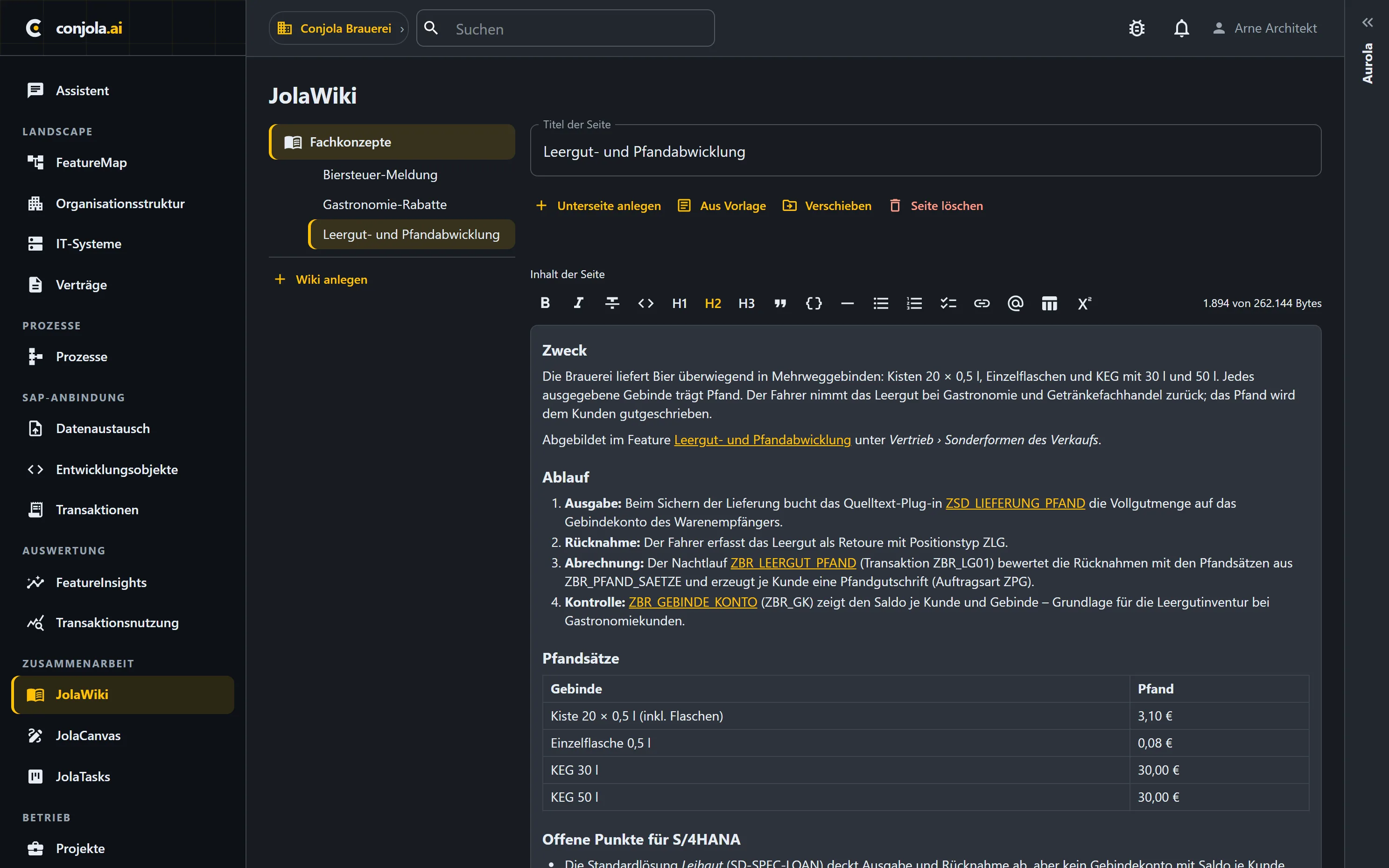
Pages link straight to features, capabilities, processes and custom developments. Conversely every capability and feature carries its own wiki page — business context exactly where the data is.
Every state is a version — including every accepted suggestion from the assistant. Nothing disappears quietly.
Page tree, per-page visibility, full-text search, mentions and backlinks, attachments — and templates for recurring document types.
Not a prose chat beside the document — a writing aid that works inside it, with you having the final say.
The assistant drafts changes for specific passages of the page. You see exactly what it would change before anything lands in the document.
You accept or discard every suggestion. Nothing enters your functional spec unasked — responsibility for the text stays with you.
Whatever you accept becomes part of a new version of the page. No earlier state gets lost along the way.
For content it draws on the same basis as the system chat: feature map, SAP dictionary, your Z-object source code and the knowledge base itself. Suggestions rest on your system, not on general knowledge.
The assistant suggests additions and revisions at specific places — it does not write whole chapters at the push of a button. The professional judgment stays with you; the groundwork is on it.
The document types that cost weeks of groundwork today.
As-is description, affected processes, affected custom developments — with links to the very objects you are writing about.
What a feature means in your house, which special logic hangs off it, which company codes use it — captured on the object itself.
Decommissioning candidates, assessments of custom developments, migration recommendations — argued with the numbers sitting right next to them.
Carry existing pages forward with the assistant: it suggests additions and rewordings, you accept what fits.
The work after the analysis is the work nobody plans for.
The analysis isn't the deliverable — the deliverable is the spec somebody writes from it. That step happens on the same platform, with the same data.
Every new extract carries the technical layer forward. Your business text stays anchored to it instead of quietly going stale.
In a short demo we'll show you how Conjola turns your system data into a basis for decisions.
Book a demo