Business Area
The functional domain — e.g. finance, procurement, sales. The top-level frame for your landscape.
The Feature Map structures your application landscape into four levels: business areas, capabilities, features and feature details. Real usage attaches directly to this structure — turning a static catalog into a map that keeps growing with you.
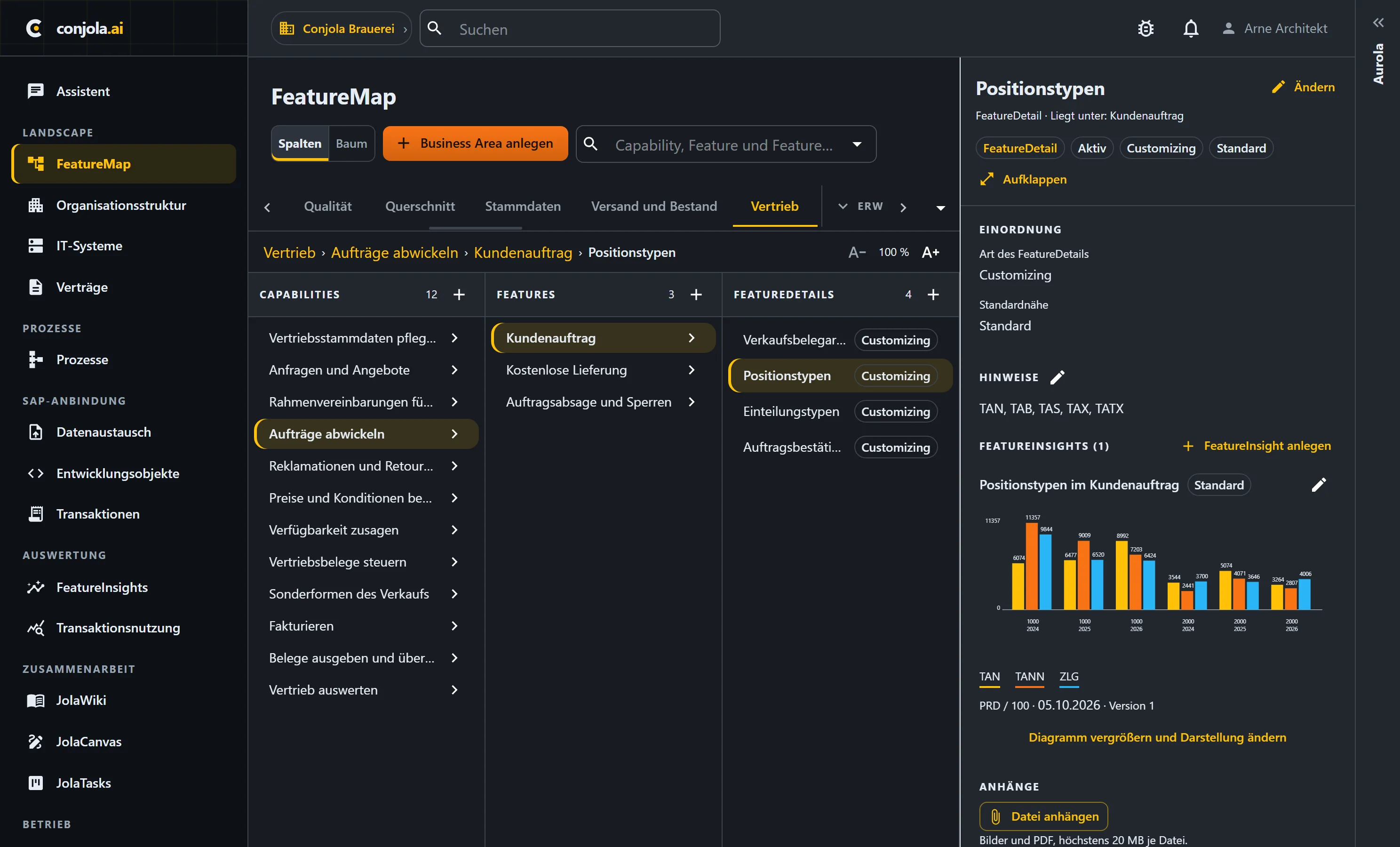
The functional domain — e.g. finance, procurement, sales. The top-level frame for your landscape.
A business capability within the domain — e.g. order management or credit management.
The concrete function — e.g. the sales order, linked to the transactions through which it runs in your system.
The variant within the feature — e.g. availability check or credit limit check. This is where special logic and custom code sit.
The map connects structure with real activity.
Each feature carries its Feature Insights and its transaction usage from ST03N — per company code and system. Dead branches stand out instantly.
Which capabilities are heavily used, which barely at all? The map shows focus areas and blind spots at a glance.
Features point to the underlying SAP transactions and carry their own wiki page — from the map straight to the technology and the documentation.
The map distinguishes what SAP ships from what you built yourself.
SAP delivered functions you use — backed by a bundled standard catalog, so nobody starts from scratch.
Custom developments, Z-transactions and enhancements. This is exactly where the effort of a clean-core path is decided.
In a short demo we'll show you how Conjola turns your system data into a basis for decisions.
Book a demo