Topic grouping
The AI reads custom developments and clusters them by business purpose — such as finance, logistics or reporting — rather than by technical naming scheme.
Grown SAP systems carry hundreds, often thousands of Z-programs — and little of it is documented. Conjola analyzes your custom developments with AI, groups them by topic and maps them to your business themes. An unmanageable list becomes a structured map.
The AI reads custom developments and clusters them by business purpose — such as finance, logistics or reporting — rather than by technical naming scheme.
Where anchors in the code support a mapping — tables used, transactions, function modules — it is derived. Only the remainder goes to clustering, and a genuinely new capability is never created automatically, only proposed.
Clustering shows where developments overlap functionally — and a counter-check per cluster tests whether the grouping holds. The basis for cleanup and assessment before migration.
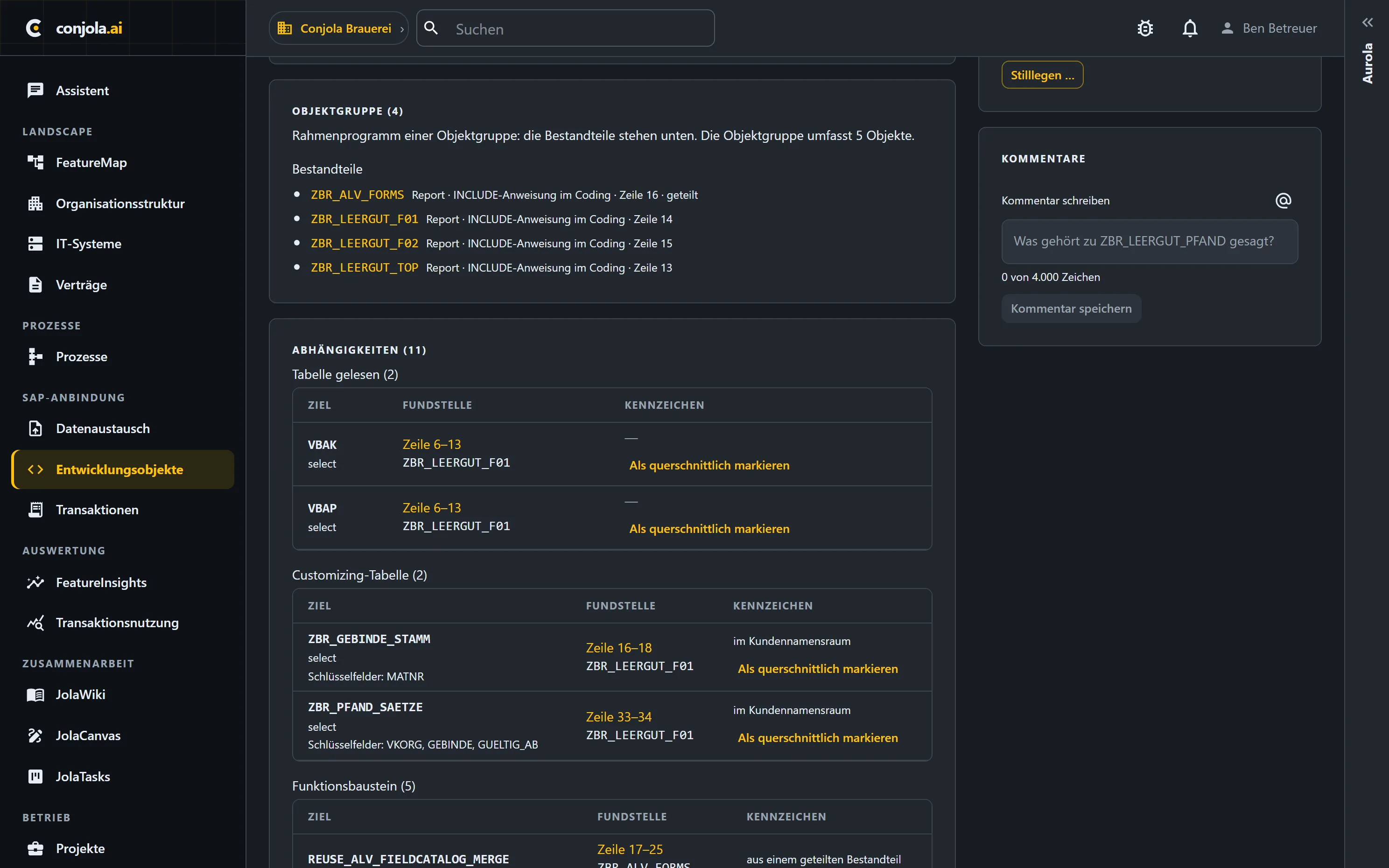
Which tables, function modules and objects a development uses is recorded with the line in the source code where the dependency sits — checkable, not a black box.
Through the ST03N analysis you see, alongside the business classification, whether your Z reports and Z transactions are still called at all — and how often, per system and company code.
Main program, include, helper routine, enhancement: the analysis records what role an object plays in its bundle — otherwise includes get counted as standalone programs.
“One object = one thing” rarely holds in grown ABAP. Conjola therefore analyzes per bundle and per object — the routine level is next.
A main program and its includes are treated as one unit and analyzed together. The same program doesn't get counted thirty times.
Report, class, function module, enhancement: the level at which things are imported, versioned and talked about day to day.
A collective exit like MV45AFZZ carries dozens of FORM routines from different projects. Those are to be named and mapped individually — so that from a feature you can see which routines serve it.
From extraction to finished grouping — no manual pre-categorization.
Your custom developments come in as an extract by upload — no direct system access needed.
The AI infers the purpose and context of each development from code and metadata.
Similar developments are consolidated into topical clusters.
Each cluster is mapped to your business themes and made visible in the platform.
The extract isn't a one-off — you upload it in full on a regular basis.
Unchanged objects are skipped, changed ones flagged as outdated, new ones detected. For any period you can see what moved in your custom code.
The AI analysis then runs only on what changed. Its proposals land in a worklist to accept or undo; business mappings, comments and decommission notes survive instead of being lost with every upload.
Custom code is the most expensive blind spot of any S/4 or cloud migration.
Only once it's clear what your custom developments do can you decide what stays, gets replaced or is dropped.
A topical map makes custom-code sprawl estimable — instead of discovering it as a late-project surprise.
In a short demo we'll show you how Conjola turns your system data into a basis for decisions.
Book a demo